



How to Calculate Mutual Fund Annual Returns Easily
You check your mutual fund app. It shows "12% return" but what does that number actually mean? Is it yearly? Is it total? Most investors just look at the gain and feel happy or sad. They do not know how to check if the fund is really doing well.
This guide explains how to calculate mutual fund annual returns in simple words. You will learn the formulas, You will see how to use a mutual fund return calculator. You will also learn how to calculate returns for SIPs. No complicated jargon Just clear steps that show you your real return.
Why Mutual Fund Returns Are Tricky?
A mutual fund's net asset value (NAV) changes every day. If you invest a lump sum, your return depends on the NAV at purchase and the NAV today. But if you invest through a SIP, every instalment buys units at a different NAV. Your return is not a simple average.
There are three common ways to measure mutual fund returns. Absolute return, CAGR, and XIRR. Each is useful for different situations.
Read More: Mutual Funds vs PPF Which is Better for Long-Term Investment?

Two Ways to Measure Mutual Fund Returns
There are two common methods. Absolute return and annualised return.
Absolute Return
This is the simple gain over the full holding period. It does not care how long you held it.
Formula: Absolute Return = [(Current Value – Investment) ÷ Investment] × 100
Example: You put in ₹1,00,000. After 3 years it becomes ₹1,50,000.
Absolute Return = [(1,50,000 – 1,00,000) ÷ 1,00,000] × 100 = 50%.
This tells you the total gain. But it does not tell you the yearly growth. That is why annualised return matters.
Annualised Return (CAGR)
CAGR means Compound Annual Growth Rate. It shows the average yearly growth of your money.
Formula: CAGR = [(Current Value ÷ Investment)^(1 ÷ Years) – 1] × 100
Same example: ₹1,00,000 becomes ₹1,50,000 in 3 years.
CAGR = [(1,50,000 ÷ 1,00,000)^(1/3) – 1] × 100 = 14.47%.
So the fund gave 14.47% per year. That is the number to compare with other funds.
How to Calculate Returns for SIPs?
- Most people invest through SIPs. The math is different because you invest at different times.
- You cannot use simple CAGR for SIPs. You need XIRR. XIRR accounts for the timing of each payment.
- XIRR is the annualised return that makes the present value of all your investments equal to the current value. You can calculate it in Excel using the XIRR function.
Example: You invest ₹5,000 every month for 3 years. Total invested = ₹1,80,000. Current value = ₹2,20,000. The XIRR might be around 12%. That is your true annual return.
Most mutual fund apps show XIRR directly.
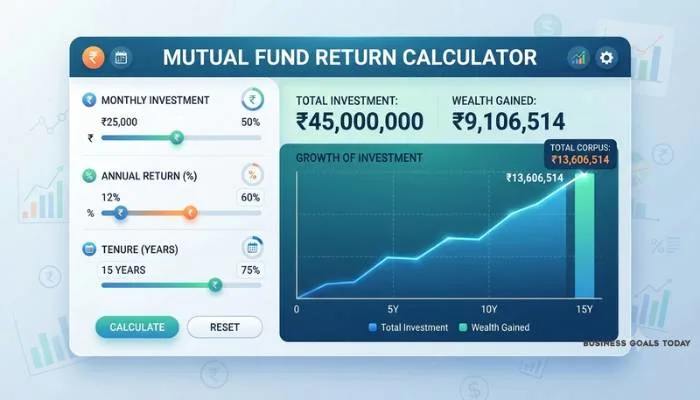
Mutual Fund Return Calculator
You do not need to do these calculations yourself. Many free tools are available.
AMFI India has a mutual fund return calculator. Enter the fund name, amount, and dates. It shows the CAGR.
These calculators are built into Groww, Zerodha Coin and ET Money. They display absolute returns, annualised returns, XIRR of SIPs.
Excel is the most flexible. Use the RRI function for lump sums. Use XIRR for SIPs.
Mutual Fund Step-Up Calculator
A step-up SIP increases your investment every year. This matches your rising income. A step-up calculator shows how much more you can build.
Example: You start with ₹10,000 per month. You increase it by 10% every year. After 15 years at 12% returns, a normal SIP gives about ₹50.4 lakh. A 10% step-up SIP gives about ₹69.8 lakh. That is nearly ₹20 lakh more.
You can find step-up SIP calculators on Groww, ET Money, and most mutual fund platforms.
You May Also Read: Mutual Funds vs Fixed Deposits Comparison: Which Wins in 2026?
Mutual Fund Monthly Returns Calculator
Monthly returns show how the fund did each month. This is useful for tracking volatility.
Formula: Monthly Return = [(NAV at end – NAV at start) ÷ NAV at start] × 100
You can build this in Excel by pulling monthly NAV data from AMFI. Many platforms also show monthly returns as a standard feature.
For long-term investors, monthly returns are noise. Focus on 3-year, 5-year, and 10-year annualised returns. Those are the numbers that matter.
Quick Summary Table
| Measure | Formula | Best For |
|---|---|---|
| Absolute Return | [(Current – Invested) ÷ Invested] × 100 | Total gain over full period |
| CAGR | [(Current ÷ Invested)^(1/n) – 1] × 100 | Lump sum investments |
| XIRR | Excel XIRR function | SIPs and multiple cash flows |
| Monthly Return | [(End NAV – Start NAV) ÷ Start NAV] × 100 | Tracking monthly performance |
Conclusion
Calculating mutual fund annual returns is not complicated once you know the basics. Absolute return shows your total gain. CAGR shows your yearly growth for lump sum investments. XIRR is the right tool for SIPs because it accounts for the timing of each payment. Monthly returns are useful for tracking but matter little for long-term investors.
The key takeaway is simple. Do not judge a fund by its total gain alone. A 50% return over 5 years is very different from a 50% return in 1 year. Always annualise your returns before comparing funds.
Use a mutual fund return calculator. Most apps and AMFI's website have free tools. Excel is the most flexible option with RRI and XIRR functions.
A step-up SIP can add significantly to your final corpus. Even a 10% annual increase can make a big difference over 15 years. Use a step-up calculator to see the impact.
Finally, focus on the long term. Check your returns once a quarter, not every day. Compare your fund with its benchmark and category average.
FAQs
1. What is the difference between absolute return and annualised return?
Annualised return (CAGR) is the average yearly growth. A fund that gives 50% in 3 years has a CAGR of about 14.47%, not 50%.
2. How do I calculate annual returns for a lump sum?
Use CAGR: [(Current Value ÷ Invested Amount)^(1/Years) – 1] × 100. If ₹1 lakh becomes ₹1.5 lakh in 3 years, CAGR is 14.47%.
3. How do I calculate returns for a SIP?
Use XIRR. It accounts for the timing of each investment.
4. What is a good annual return for a mutual fund?
For equity funds, 10-14% over the long term is good. Debt funds give 6-8%. Compare a fund with its benchmark and category average, not just with other funds.
5. Can I use Excel to calculate mutual fund returns?
Yes, Excel is the most flexible. Use RRI or RATE for lump sums. Use XIRR for SIPs, You can also build a monthly return tracker by pulling NAV data from AMFI.